Features
Neopets restocking and autobuying tools.
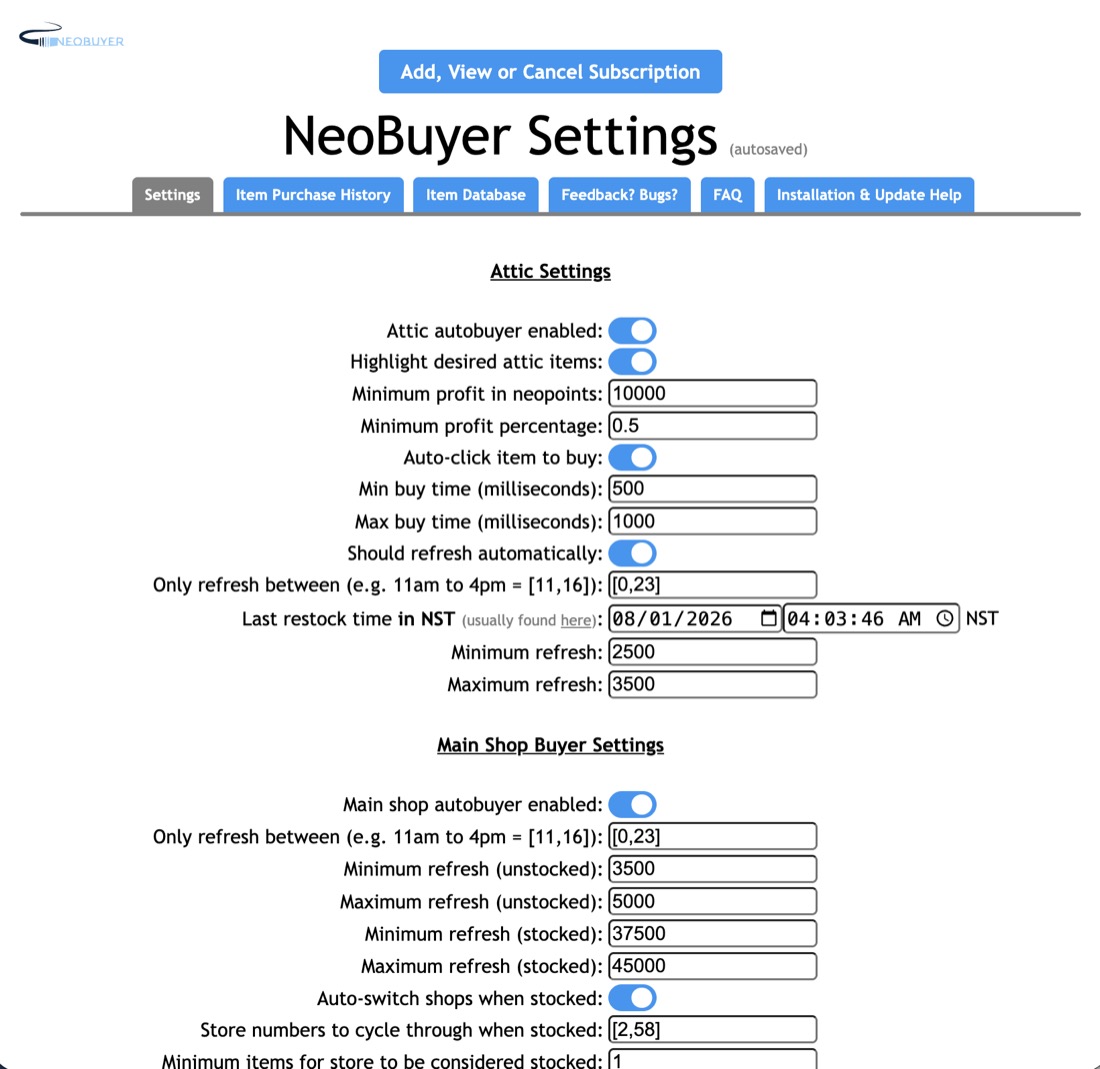
NeoBuyer supports Neopets main shops and the Almost Abandoned Attic. Expand a section to see its settings.
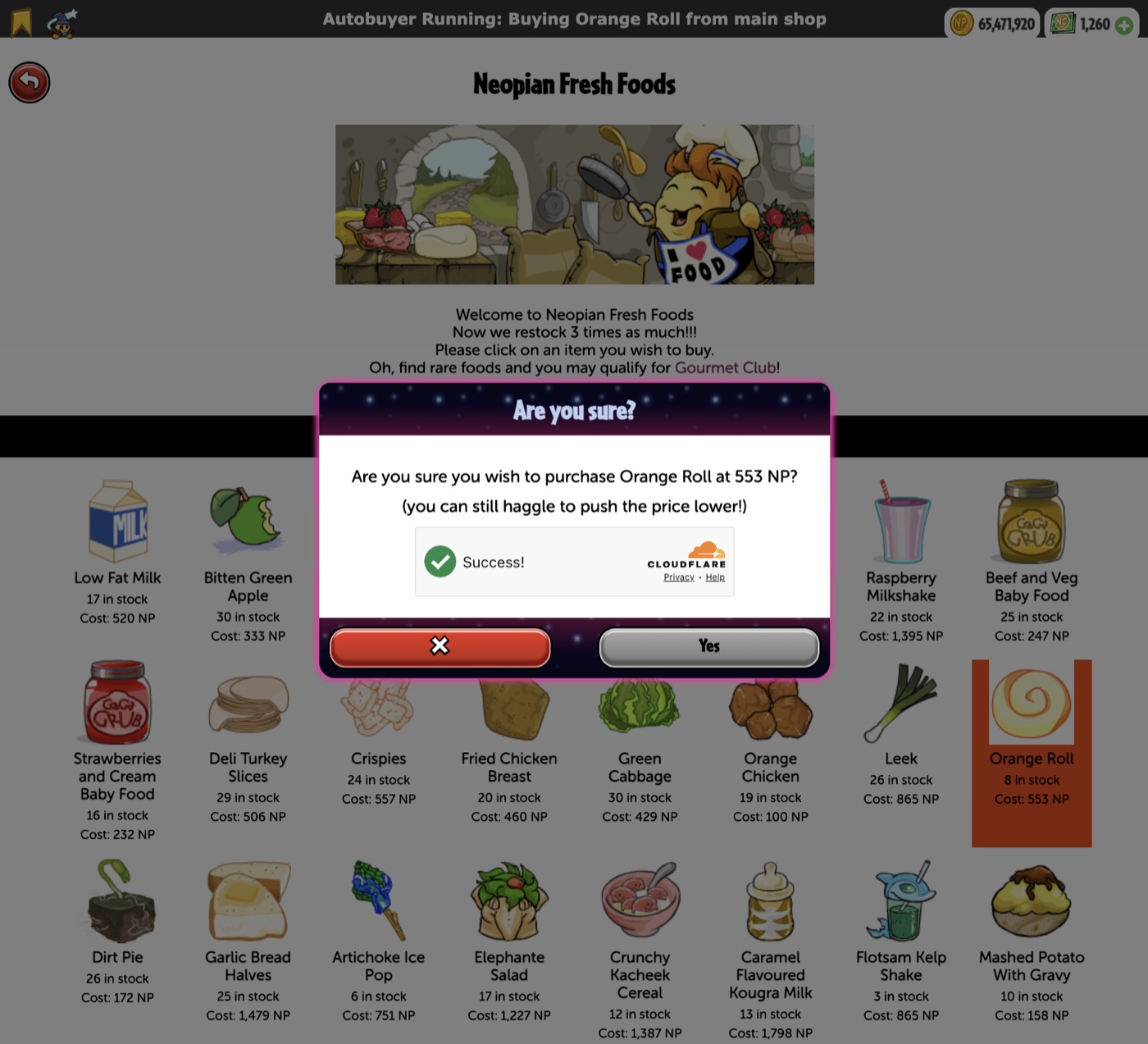
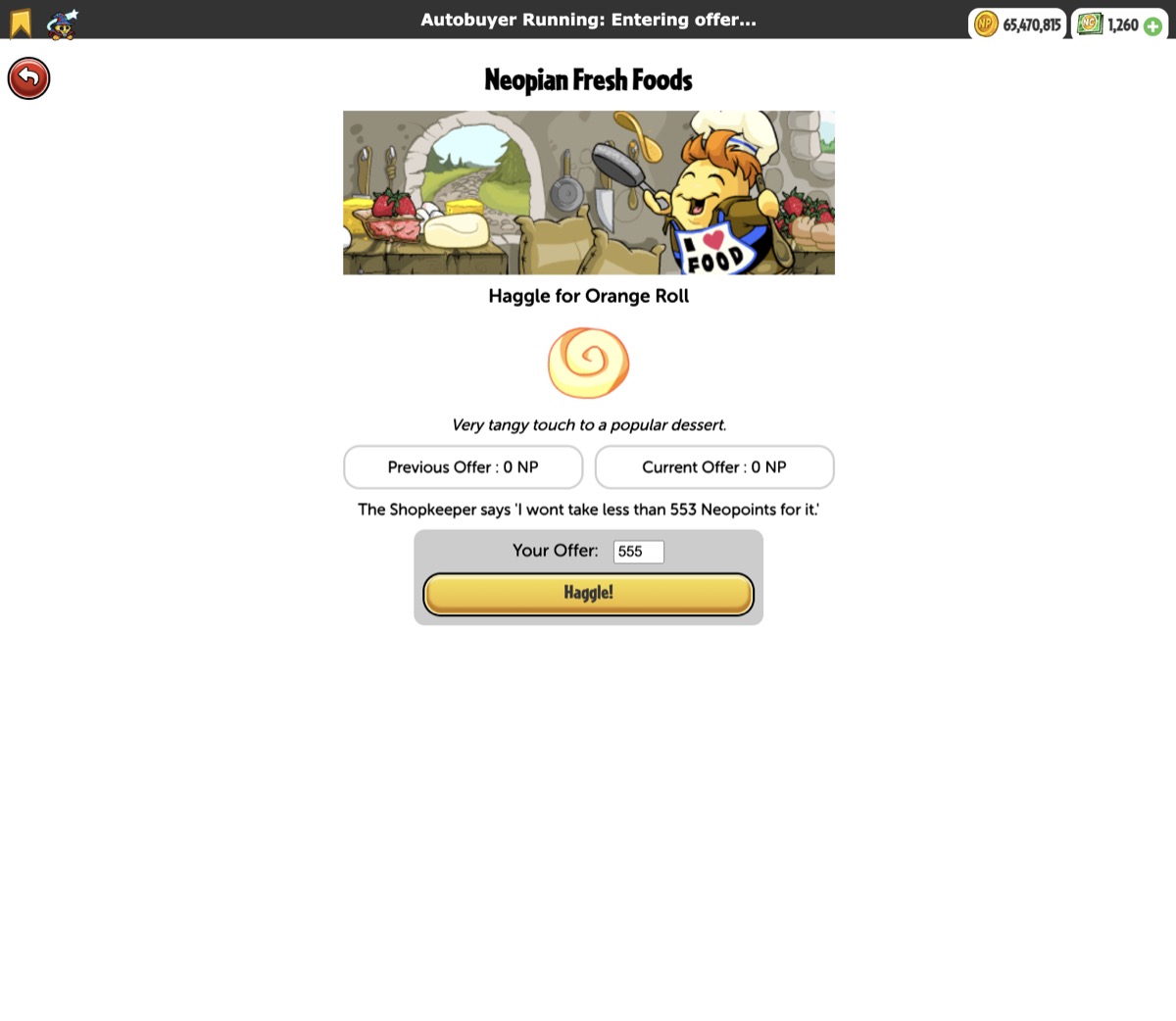
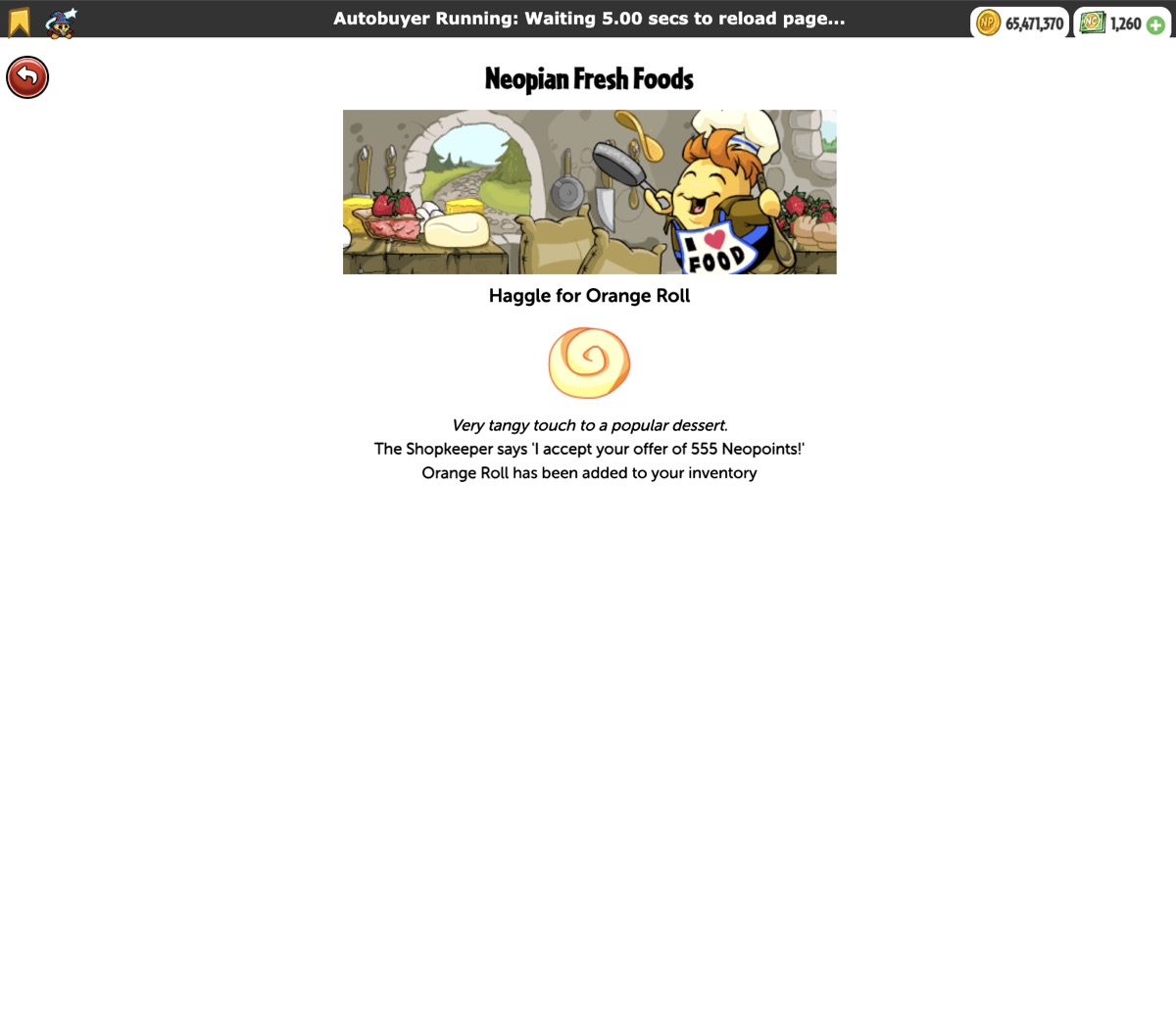
Main shop autobuyingHighlight, refresh, and automatically purchase qualifying items
- Enable or disable the main shop autobuyer.
- Highlight desired items and automatically click the selected item.
- Set active hours and separate minimum/maximum refresh times for stocked and unstocked shops.
- Choose how many visible items count as stocked and whether to cycle through selected shop numbers.
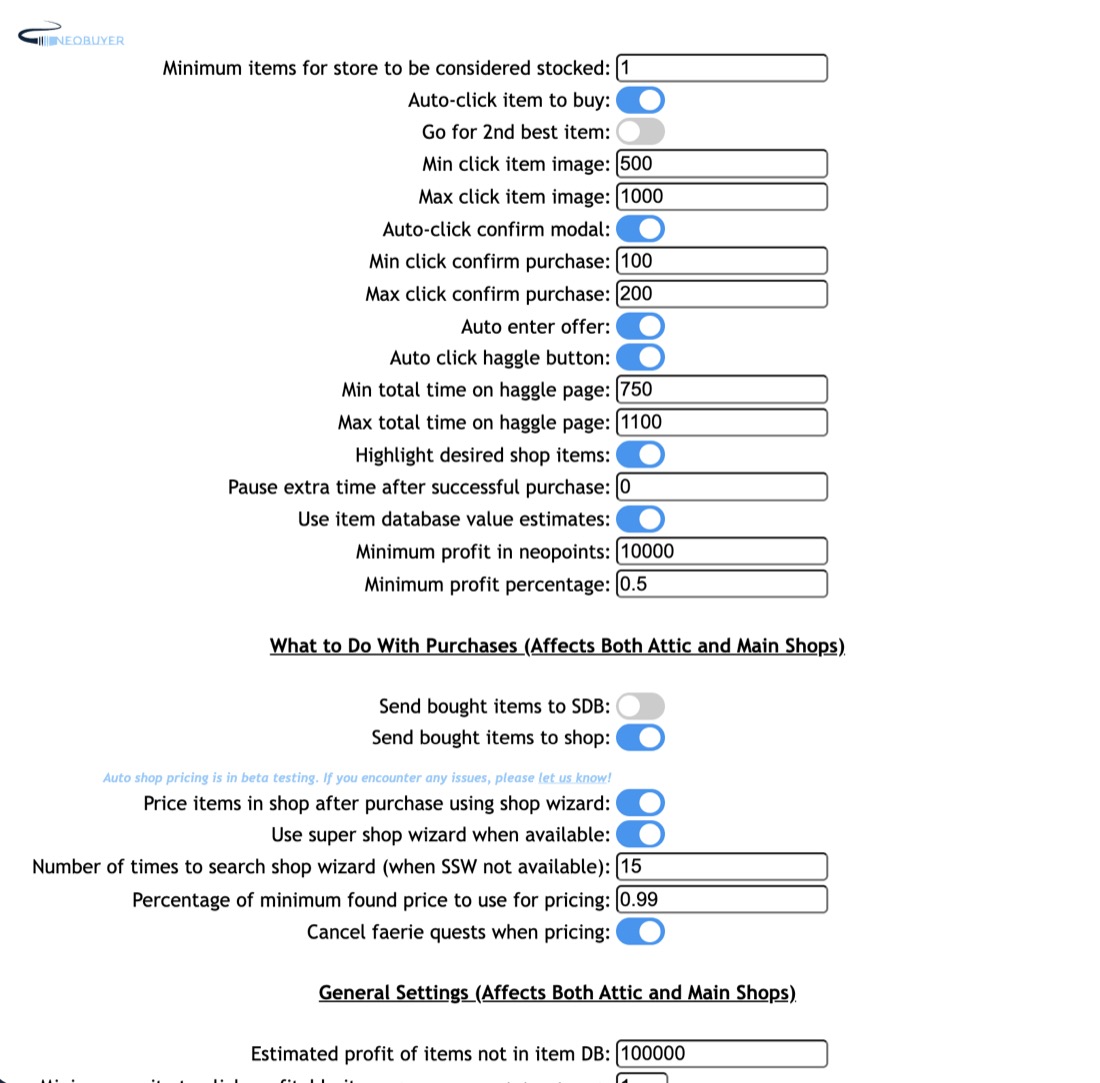
- Set minimum and maximum delays for clicking the item, entering an offer, and confirming the purchase.
- Optionally choose the second-most-valuable qualifying item.
- Annotate the captcha with the Neopet location and optionally click it automatically.
- Pause for additional time after a successful purchase.
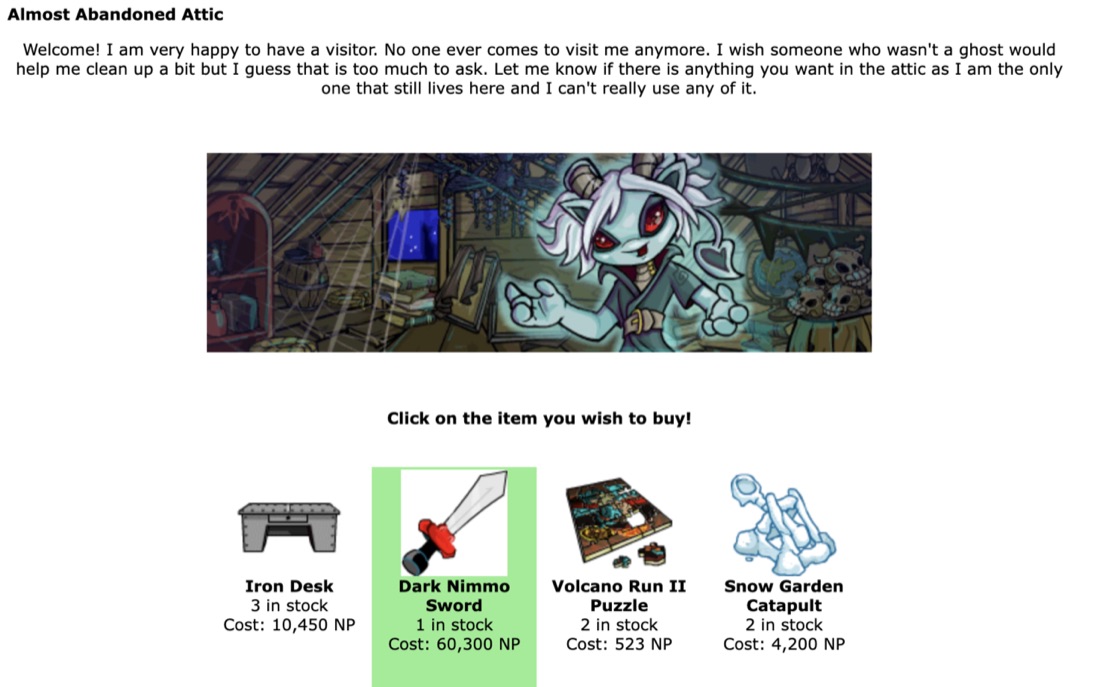
Almost Abandoned AtticIndependent Attic highlighting and autobuying settings
- Enable, highlight, and auto-click independently from main shops.
- Set minimum Neopoint profit and profit percentage.
- Set active hours, purchase delay, and refresh timing.
- Control automatic refreshing and provide the latest known restock time.
Item selection and profit rulesDatabase, lists, rarity, and profit filters
- Use the remotely updated item database containing names, rarities, and estimated prices.
- Set minimum Neopoint profit, minimum profit percentage, and minimum item rarity.
- Use a custom restock list instead of database estimates.
- Maintain a blacklist of items to ignore and a whitelist of items to always consider.
- Assign an estimated profit to newly released or otherwise unknown items.
After-purchase workflowsStorage, shop movement, and automatic pricing
- Leave purchases in inventory, send them to the Safety Deposit Box, or send them to your shop.
- Price shop items with the Shop Wizard after purchase.
- Use the Super Shop Wizard when it is available.
- Choose the percentage of the lowest observed price used for shop pricing.
- Optionally cancel a Faerie Quest when it prevents Shop Wizard pricing.
Status and alertsOn-page, Chrome, sound, and email options
- Show or hide the on-page status banner.
- Enable Chrome notifications and spoken or sound alerts.
- Continue through supported Neopets page-load failures.
- Send optional purchase emails through your own EmailJS template, user ID, and service ID, with a minimum item value.
History, analytics, and transfersLocal records and version-to-version transfer
- Store purchase attempts and results locally in Chrome.
- Review total estimated value, profit, and time-based analytics.
- Export settings, lists, EmailJS IDs, and purchase history to a validated local file.
- Import matching data after a future direct-version update without changing subscription access.
Extension screenshots
NeoBuyer in action.
See how NeoBuyer highlights items, handles the main-shop purchase flow, supports the Attic, and gives you detailed control over autobuying behavior.